
Give each character one clear photo
Use a close or medium portrait with the face visible and even lighting. Avoid group photos, sunglasses, heavy filters and hands covering the face.
Two photos. One impossible choice. Put yourselves into the original zombie love story, with its camera cuts, embrace and original sound.
Generate videoCast the two characters below, choose your frame, and let the original film guide the story from its tense opening to its sunlit memory.
The complete film moves from a ruined room to an open meadow. Its four moments remain in order in the faster, 15-second reference shown above.
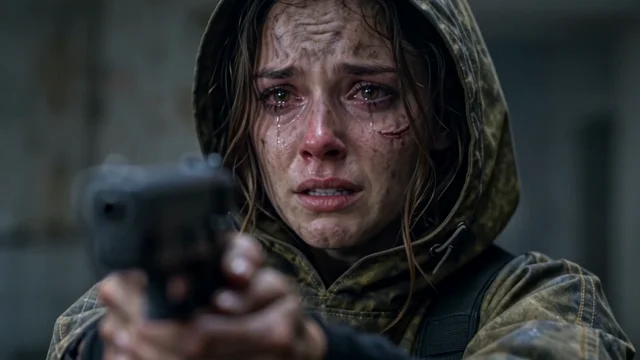
The survivor meets someone they recognize, now infected. The close framing holds the hesitation before a decision.
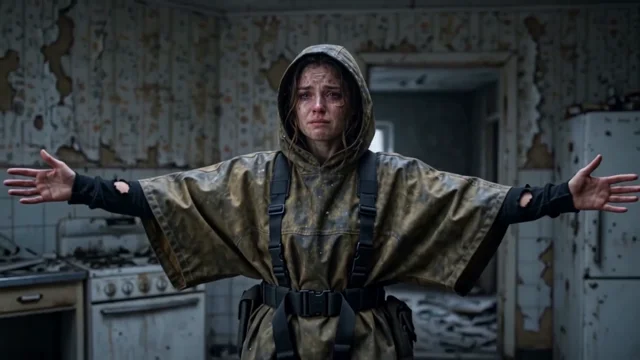
The gun lowers. An embrace takes the place of confrontation, bringing the two characters back together.
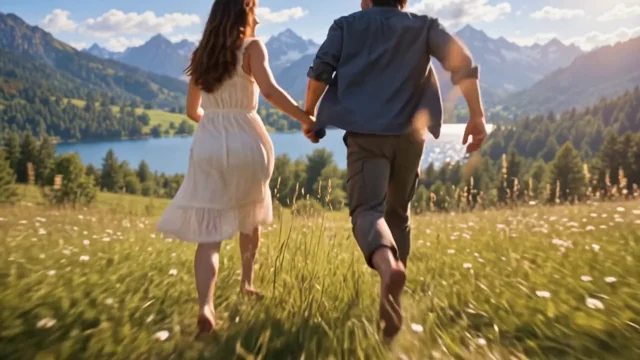
The scene shifts from the dark interior to green grass and sunlight. The same two faces carry the emotion into their memory.
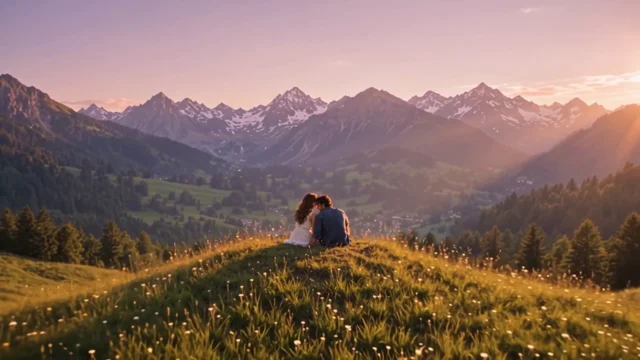
The infected partner is healthy again. The couple runs through the meadow and rests together, completing the story on a gentler note.
The two references define the cast across the whole film. A little care when choosing them makes their roles easier to follow.
Use a close or medium portrait with the face visible and even lighting. Avoid group photos, sunglasses, heavy filters and hands covering the face.
Photo 1 is the survivor. Photo 2 is the infected partner and their healthy self in the memory. Use the swap button if you want to exchange their roles.
You do not need to prepare a zombie costume or a separate healthy photo. The same second reference guides both appearances.
A tall frame for phone screens and vertical short videos. It brings attention to the characters and their embrace.
A wider frame with more room for the setting and movement. It follows the shape of the original reference film.
The complete original story, compressed to 15 seconds. Use two photos to make its characters your own.
Assign one clear photo to the survivor and one to the infected partner. Check the labels or swap the roles before generating.
Select 9:16 or 16:9. The complete story and 15-second duration are already set, so no scene selection is needed.
Each generation costs 90 credits. Follow progress in your history, then preview and save your video. Failed tasks are refunded.
One 15-second video at 768p in your selected format, with the compressed reference's original soundtrack. Preview the finished video and download it from your creation history.
Check both faces, hands and the transition into the memory before sharing. AI can change likeness and small movements; the reference preview shows the source story, not a generated result.
Yes. The complete original film is sped up from approximately 25 to 15 seconds, preserving every scene in order. This compressed film is the video reference, and its synchronized original audio is restored.
Photo 2 replaces the infected partner. The same photo is used for their healthy appearance in the meadow. Photo 1 replaces the human survivor.
Every video is 15 seconds at 768p. Choose 9:16 or 16:9. The preview shows the complete compressed story used for generation.
AI edits can change facial details, hands and shot timing. Review your result before sharing; a successful generation does not guarantee a perfect replacement.
The credits reserved for that task are returned automatically. You can follow your task and download completed videos in your history.