
Your facial features come first
Generation prioritizes facial structure, proportions, skin tone and apparent age. AI results can vary; review your portrait after generation.
Turn your selfie into an 80s portrait. Choose a studio, mall, graduation or travel scene with vintage hair, clothes, backgrounds and film tones, guided by your facial features.
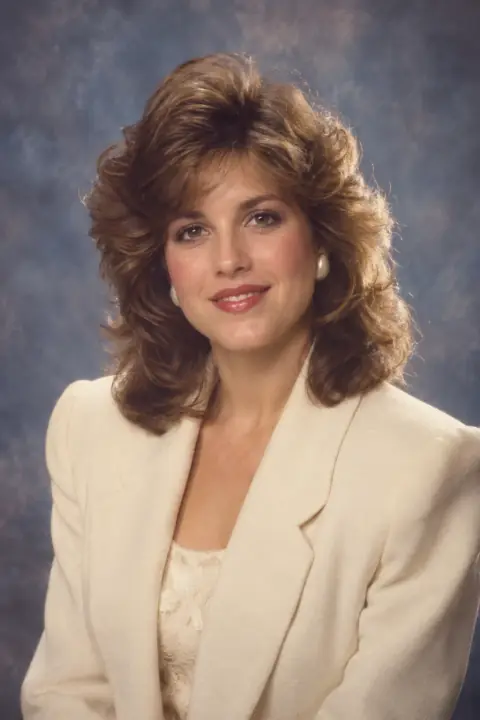
Turn your selfie into an 80s portrait. Choose a studio, mall, graduation or travel scene with vintage hair, clothes, backgrounds and film tones, guided by your facial features.
Generation prioritizes facial structure, proportions, skin tone and apparent age. AI results can vary; review your portrait after generation.
Turn your selfie into an 80s portrait. Choose a studio, mall, graduation or travel scene with vintage hair, clothes, backgrounds and film tones, guided by your facial features.
Film tones / Period hair / Vintage wardrobe / Scene styling
Film tones / Period hair / Vintage wardrobe / Scene styling
Soft focus · mottled backdrop
Cap & gown · yearbook portrait
Sunlit coast · vacation film
Add hair, clothing, background or lighting details. Upload a group photo for group presets; all faces should be clearly visible.
Film tones / Period hair / Vintage wardrobe / Scene styling
Generate up to four portraits of the selected style. Credit cost scales with model and count.
Generation prioritizes facial structure, proportions, skin tone and apparent age. AI results can vary; review your portrait after generation.
Add hair, clothing, background or lighting details. Upload a group photo for group presets; all faces should be clearly visible.
Avoid sunglasses, occlusion and heavy beauty filters.
Generation prioritizes facial structure, proportions, skin tone and apparent age. AI results can vary; review your portrait after generation.
Add hair, clothing, background or lighting details. Upload a group photo for group presets; all faces should be clearly visible.
Generation prioritizes facial structure, proportions, skin tone and apparent age. AI results can vary; review your portrait after generation.
Film tones / Period hair / Vintage wardrobe / Scene styling
Generate up to four portraits of the selected style. Credit cost scales with model and count.
Add hair, clothing, background or lighting details. Upload a group photo for group presets; all faces should be clearly visible.